This first post is a small formatting playground. It shows what I can put in future entries about games, code and other experiments. Open the examples below to see how they are written.
Words, links and headings
There is bold text, italic text, crossed-out text and inline code such as std::vector. Links work too: my GitHub or the diagrams further down.
A smaller heading
Use ## for a section and ### for a subsection. The post title at the top is already the main heading.
Show the Markdown
## A section
### A subsection

**bold** · *italic* · ~~crossed out~~ · `inline code`
[A link](https://github.com/marcus1337)
Lists and checklists
- A short idea
- A useful link
- A little more detail, indented underneath
- Make something small.
- Try it out.
- Write down what happened.
- Set up the blog
- Try some formatting
- Write the next post
Show the Markdown
- A bullet
  - A nested bullet

1. First step
2. Next step

- [x] Finished
- [ ] Still to do
Code with syntax highlighting
Put a language name after the opening three backticks. Here is a tiny C++ state example:
enum class State { Idle, Running, Jumping };

State nextState(bool grounded, bool moving) {
    if (!grounded) return State::Jumping;
    return moving ? State::Running : State::Idle;
}
Shell commands work the same way:
npm run new-post -- "A small experiment"Show how to write a code block
```cpp
int main() {
    return 0;
}
```
Other useful language labels include python, go, javascript, json and sh.
Tables
| Thing to share | A useful format |
|---|---|
| A small function | A code block |
| A comparison | A table |
| A workflow or state machine | A Mermaid diagram |
| Extra detail | An expandable section |
Show the Markdown
| Feature | Why use it? |
| :--- | :--- |
| Code | Share a small example |
| Diagram | Explain how parts connect |
Diagrams from text
Mermaid turns a fenced code block into a diagram. For example, this is how a post reaches the site:
flowchart TB
    accTitle: From Markdown to a blog page
    accDescr: A Markdown post is built by Astro into a static HTML page, which a browser displays.
    A[Write a Markdown post] --> B[Astro builds the site]
    B --> C[Read it in a browser]
It can also describe a simple game state machine:
stateDiagram-v2
    accTitle: A simple game state machine
    accDescr: A character starts idle, begins running, jumps and returns to idle on landing.
    direction TB
    [*] --> Idle
    Idle --> Running: move
    Running --> Jumping: jump
    Jumping --> Idle: land
Open Diagram source below either diagram to copy its text. In a future post, add mermaid: true to the title block at the top of the file, then wrap that text in a code fence labelled mermaid:
Show the post setting and fence format
---
title: "A small experiment"
pubDate: 2026-10-04
mermaid: true
---
```mermaid
flowchart TB
Idea --> Prototype
Prototype --> Playtest
```Mermaid loads from a pinned CDN version on posts that enable it. If JavaScript is disabled or the library cannot load, the diagram stays readable as source text.
Images
Images can live in the repository alongside the posts. This small example is an SVG; PNGs, JPEGs and GIFs work too.
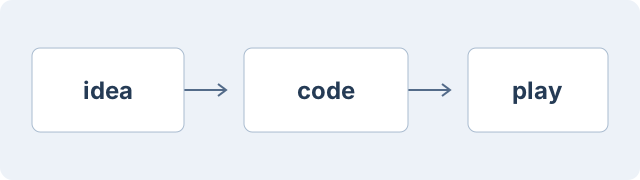
Put the file in public/assets/blog/ and use a description between the square brackets.
Quotes and footnotes
A little prototype can be enough to make an idea easier to explain.
That is an example quote for this demo. A footnote can hold a small aside without interrupting the paragraph.1
Show the Markdown
> A quoted passage or a note.

A sentence with a footnote.[^note]

[^note]: The extra information goes here.
A few HTML extras
Markdown can include small pieces of HTML. For example, Ctrl + F looks like keyboard keys, and this phrase is highlighted.
Open a small extra note
This section uses native HTML, so it opens with a click, tap or keyboard. Markdown still works inside it: bold text, lists and code blocks.
print("Hello from an expandable section!")Show the HTML for these extras
<kbd>Ctrl</kbd> + <kbd>F</kbd>
<mark>A highlighted phrase</mark>

<details>
<summary>A short label</summary>

Your extra explanation, with **Markdown** if you want it.

</details>
To make another entry, run npm run new-post -- "My next post" from the repository root and edit the file it creates. This post can stay here as a reference when I need a formatting example.
Footnotes
-
This is a demo footnote. Its return arrow takes you back to the sentence. ↩